

Adding Funds (Pay Station Kiosk)
The Pay Station kiosks are stand alone touch screen units that allow you to add funds to your printing account. There are one of these units at each campus location, which can be found on the Valencia College Locations Map.
These units accept cash ($1, $5, $10 or $20 bills), Credit or Debit cards and also support current contactless payments such as Apply Pay and Google Pay.
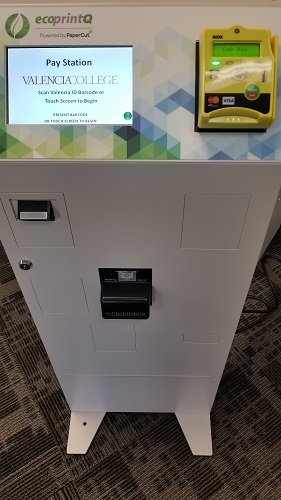
Adding Funds at the Pay Station Kiosk
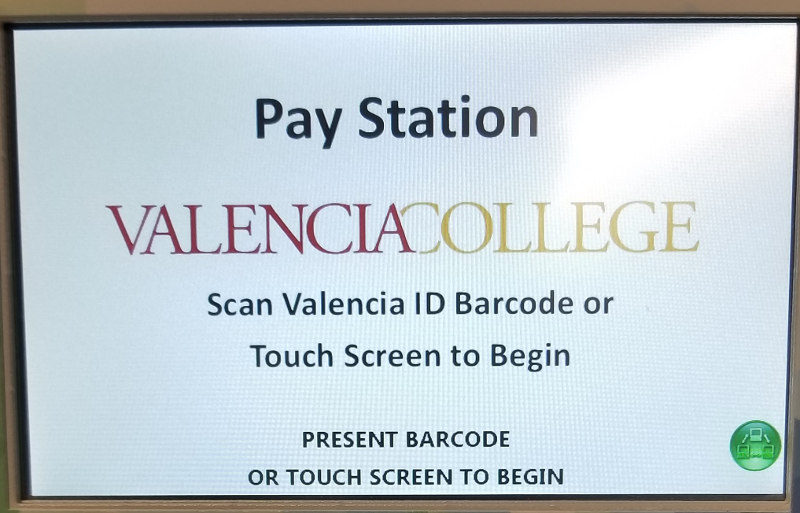
- Log in to the Pay Station.
- Scan your Valencia ID barcode (you must already be registered to a printing account) OR
- Touch the screen and log in without a card.
- Select either Cash or Credit Card.
- Cash: Simply insert cash into the bill collector, one bill at a time. Your balance will be updated as bills are inserted.
Only insert cash that you want added to your account, no change is given and is instantly added to your printing account. -
Credit/Debit: Select the desired increment ($5, $10 or $20) or enter a custom amount between $5-$20. Follow the onscreen prompts to finish the transaction.
- Cash: Simply insert cash into the bill collector, one bill at a time. Your balance will be updated as bills are inserted.
You can login to the Student Printing Portal (Opens in new window) and choose Transaction History to view previous transactions.